
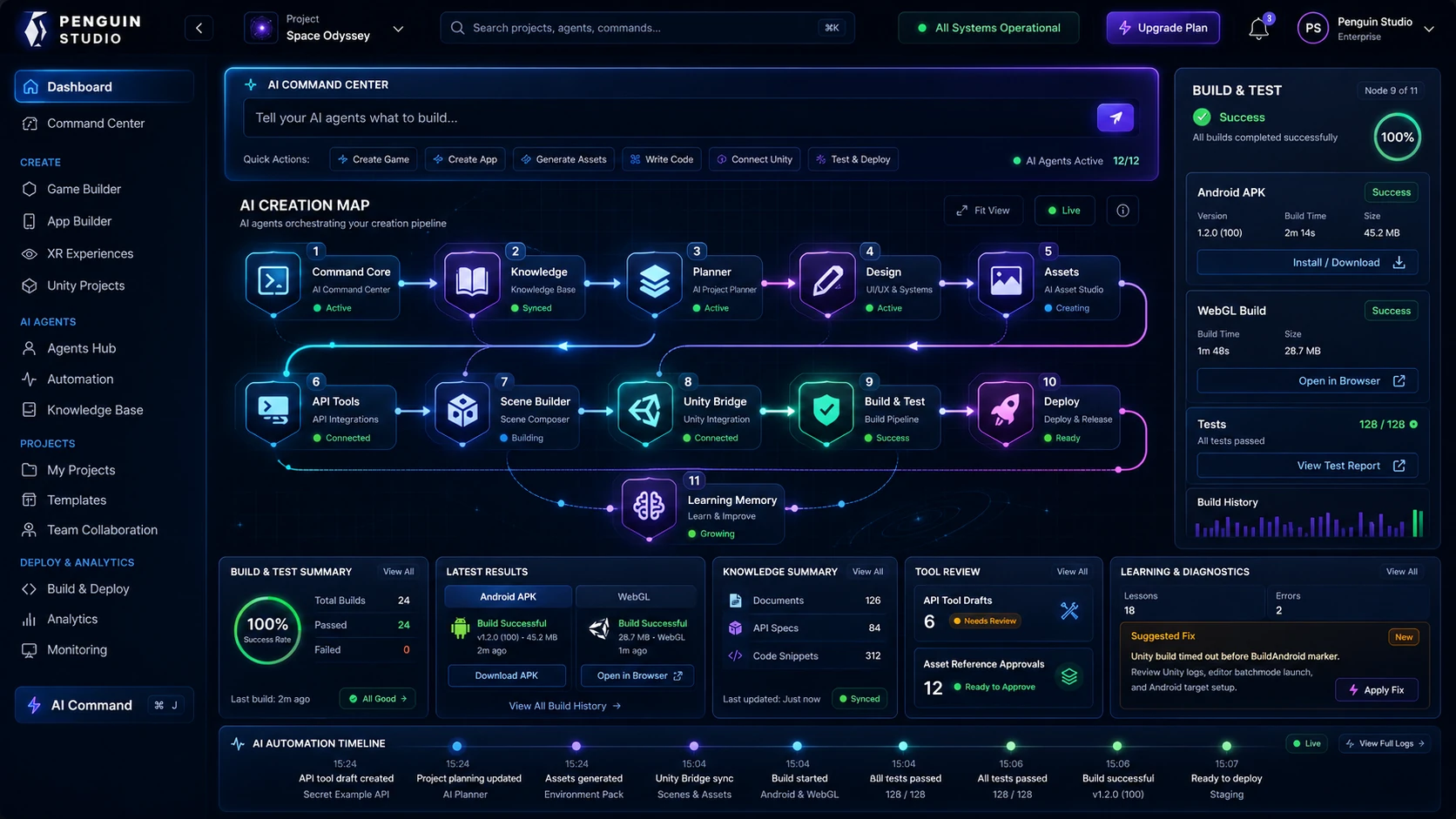
Command, approve, monitor, and deliver.
The dashboard connects the important parts of AI work: instructions, context, approvals, builds, status, and results.
Penguin Studio gives teams a clear way to control agents, approve important actions, monitor builds, and understand results.
Built for teams that want AI automation to be easy to operate, easy to explain, and safe to present.
Commands, agents, approvals, builds, knowledge, and results stay visible in one interface.
The dashboard connects the important parts of AI work: instructions, context, approvals, builds, status, and results.
Teams should understand what the system is doing without reading logs or guessing what happened.
Send clear instructions to the agent system.
Track planning, execution, and agent status.
Keep project context and documents connected.
See build progress, tests, logs, and results.
Review tool and API actions before execution.
Understand failures and runtime issues quickly.
Follow every major event in sequence.
Get clear outcomes after the work is done.
Commands, tools, files, builds, and errors live in different places.
Agents, approvals, progress, and results stay visible in one premium dashboard.
Useful when AI work needs to be clear, controlled, and presentable.
Keep commands, context, progress, and outputs together.
Present AI automation in a way people understand fast.
Make planning, approvals, builds, and results easier to follow.
A short, visible path from instruction to approved output.
The operator gives an instruction.
The agent prepares the work.
Important actions wait for approval.
The dashboard shows status and output.
Request a walkthrough of the Penguin Studio AI Automation Agent, or discuss how this command layer can support your product, team, or demo.